Brief Builder
A brief your client can actually fill in.
Brief Builder helps freelancers put together a client questionnaire from reusable sections and send it as a fillable PDF. The client completes it in any PDF reader and sends it back, with no account and no portal. Briefs stay in your browser by default, or in an optional cloud account if you sign in.
- Type
- Installable web app (PWA)
- Platform
- Any modern browser, desktop and mobile; local briefs work offline once loaded
- Data
- In the browser by default (IndexedDB); optional cloud storage after Google sign-in
- Output
- Fillable PDF, A4 or Letter
- Built with
- Preact and pdf-lib; cloud API on Cloudflare Pages Functions and D1, with Better Auth
- Hosting
- Cloudflare Pages
- Status
- Live. Running in the browser; optional cloud storage
01Story
Story
The problem
A good brief is the first real conversation of a project, yet it usually starts as a copied document or an online form the client has to sign up for. Questions that don’t apply get asked anyway, and the answers come back scattered.
What we built
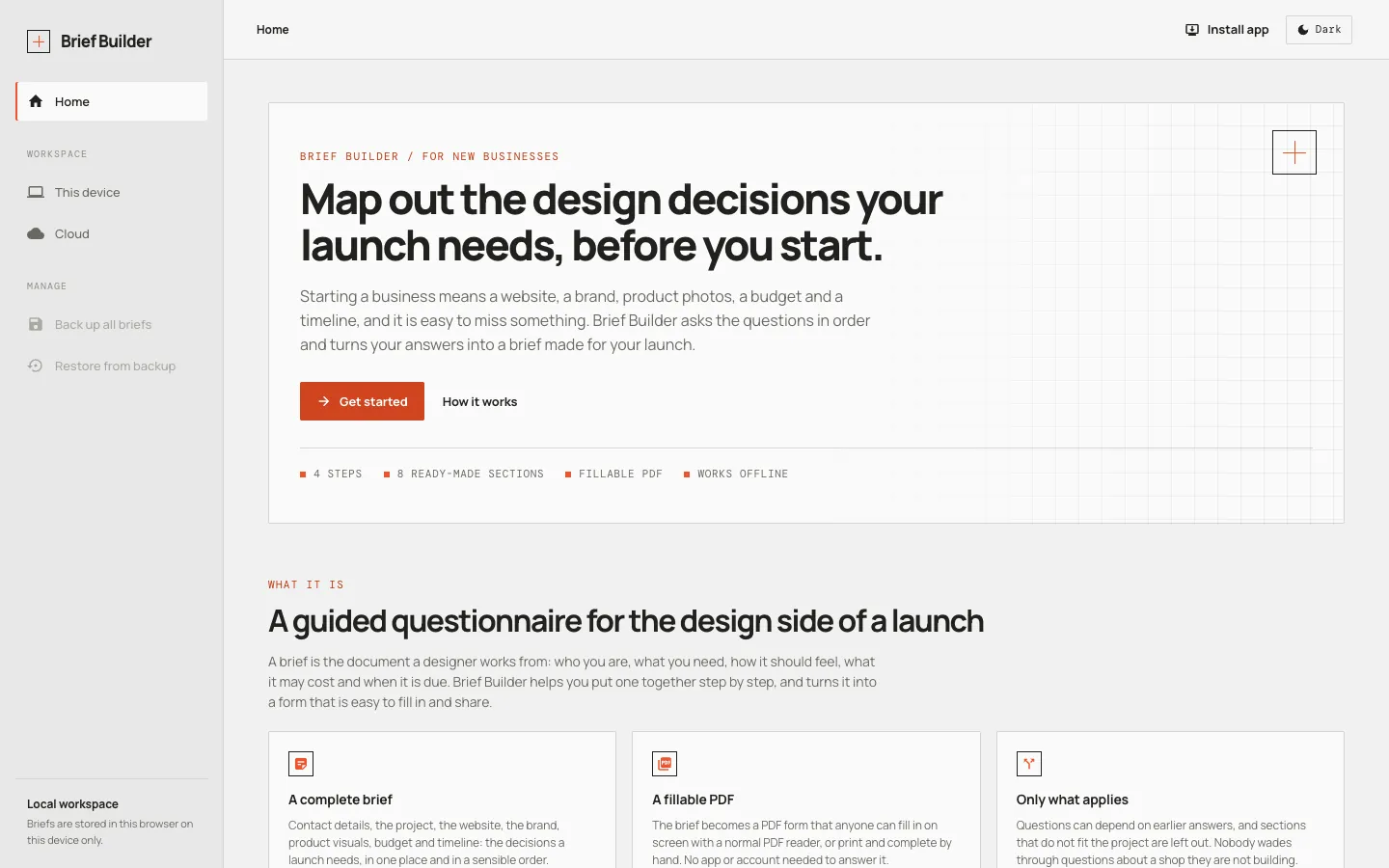
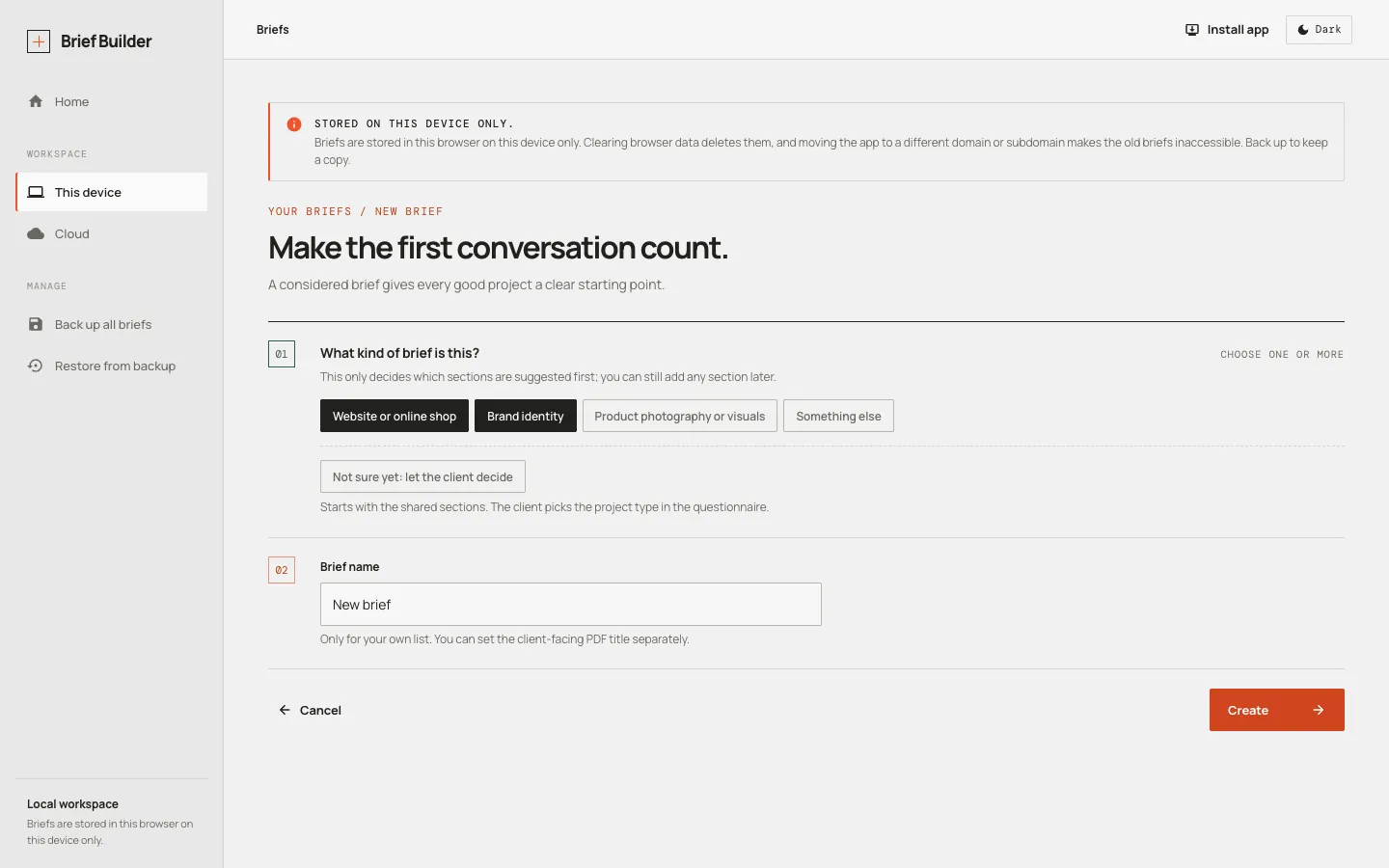
Brief Builder turns the brief into something you assemble: choose the project type, add sections from a catalogue, let questions appear only when they apply, then export a tailored, fillable PDF. Briefs stay in your browser unless you choose the optional cloud.
Why it is interesting
The rules behind conditional questions never guess. A question is shown only when its condition is definitely true, so an unanswered or hidden question can never open the wrong branch, and broken rules are flagged before anything is sent.
Who it helps
Freelancers and small studios who start projects with a client brief, and, through its landing page, people starting a business who want to map out the design decisions their launch needs.
02Key decisions
The decisions behind it
Conditional questions with five states
A question shows only when its rule is definitely true. A rule may only depend on earlier questions; anything else is treated as broken and flagged in Review.
Safe edits
Field names and option values are locked once created. Deleting something a rule depends on lists what is affected and offers a choice; nothing changes silently.
Templates are copied, not linked
Adding a section copies a template from the catalogue into the brief, so later changes to the catalogue never alter existing briefs.
On the device by default, cloud by choice
Briefs stay in the browser with no account. Cloud storage is optional, after Google sign-in, and local briefs are copied to it only when someone asks.
Saves that protect the work
Every save keeps a working copy and a last-known-good copy, is verified by reading it back, and won’t overwrite a brief changed in another tab.
Branching as hints in the PDF
PDF viewers can’t reliably hide fields, so branching is printed as short hints, and the Scenario step leaves out whole sections that don’t apply.
03How it works
How it works
Basics
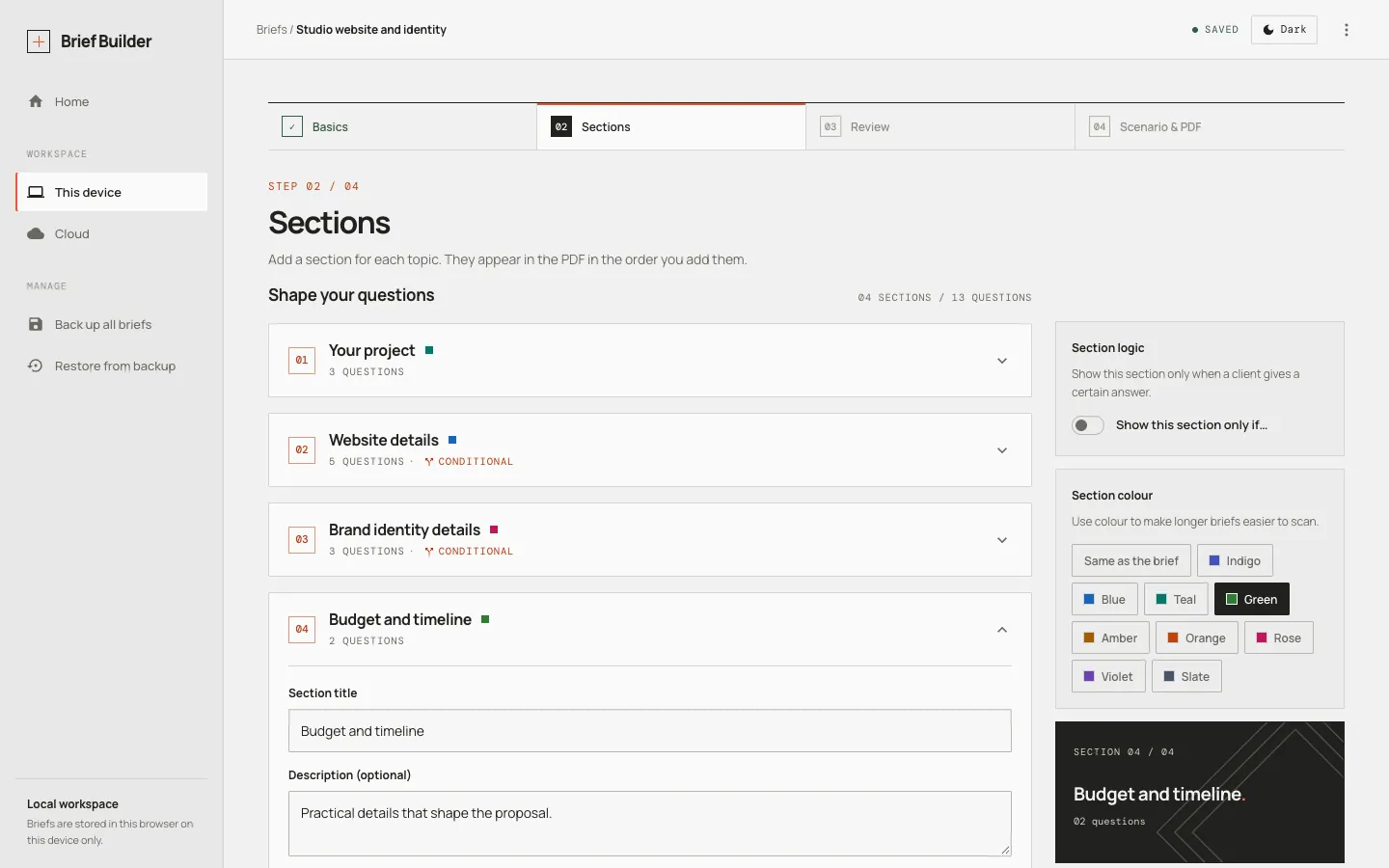
Name the brief and set what the client sees: the PDF title, an optional introduction, who prepared it, a colour and the page size (A4 or Letter).
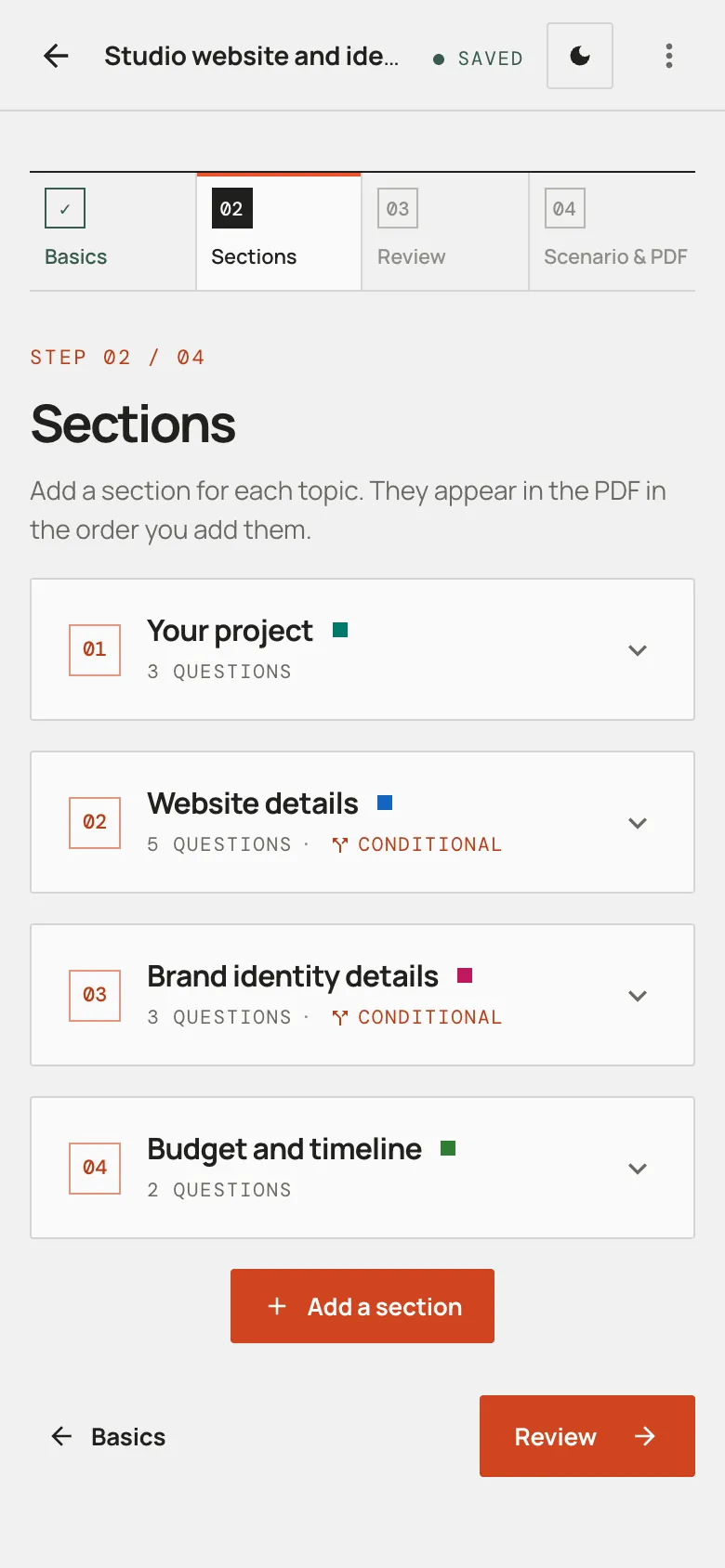
Sections
Add sections from a catalogue of templates. The project type decides which are suggested first; sections and questions can be made conditional on earlier answers.
Review
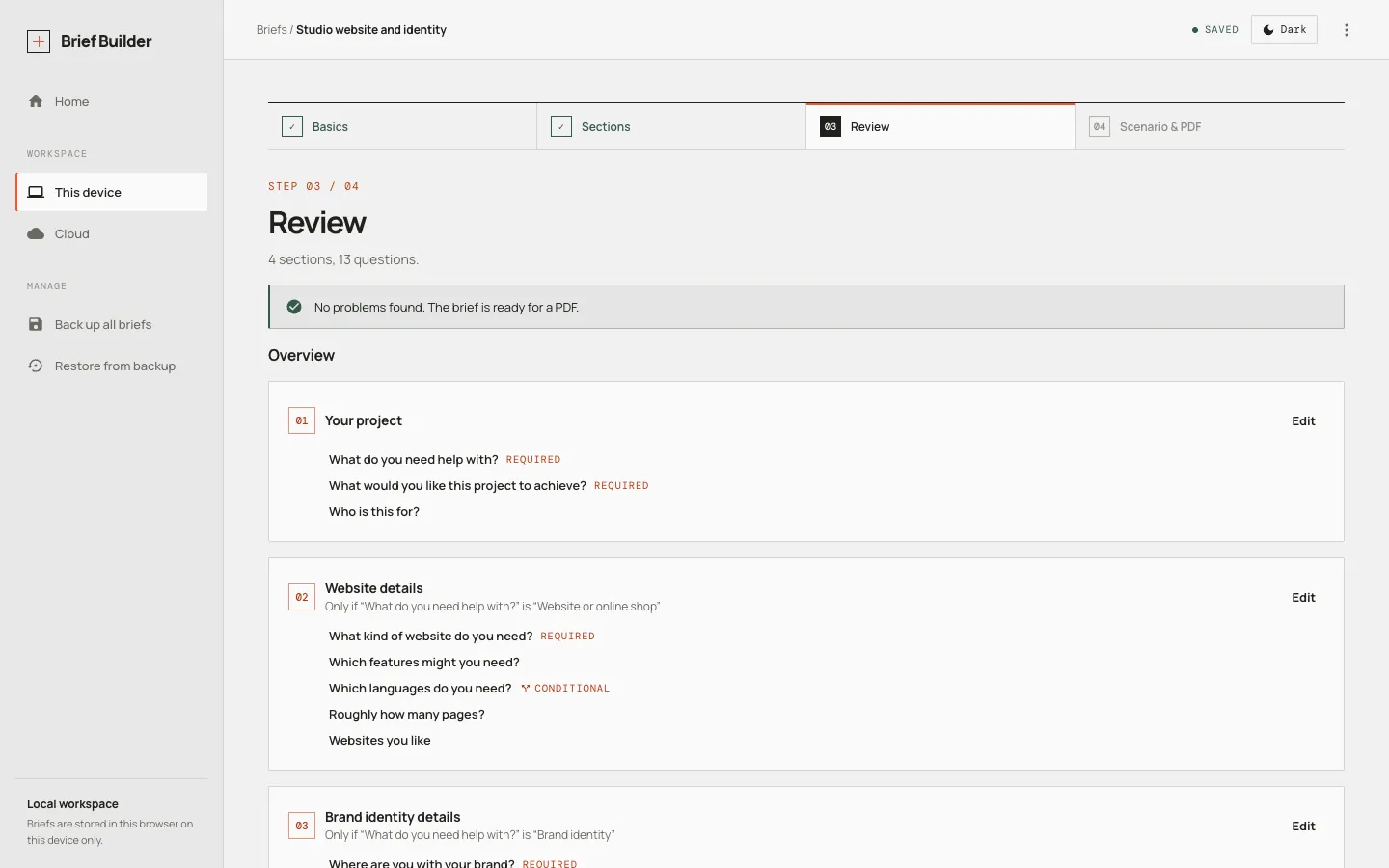
See the brief as the client will, with every required and conditional question listed. Rules that refer to missing or later questions are flagged here.
Scenario and PDF
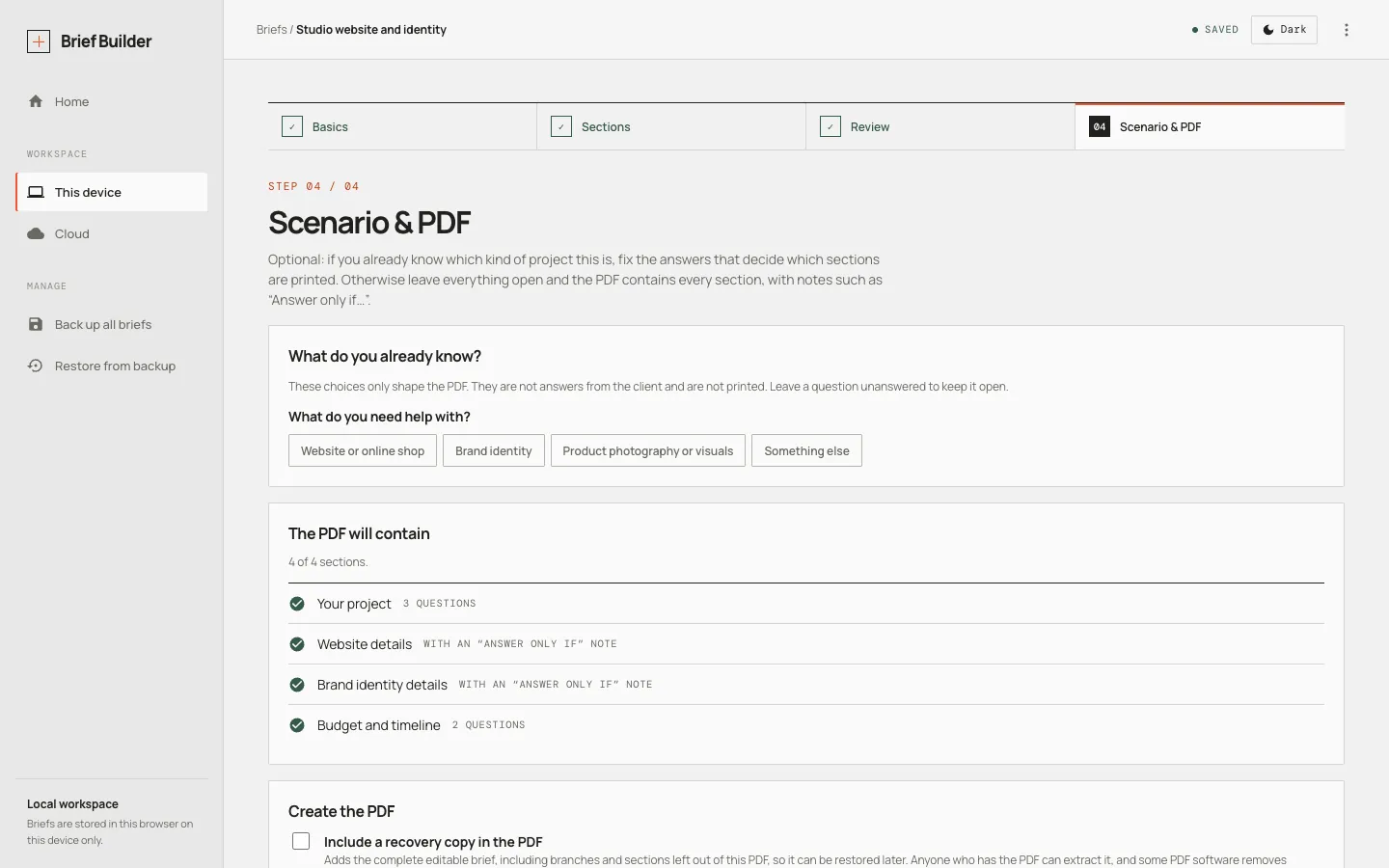
Optionally set the client’s situation so sections that don’t apply are left out, then export a fillable PDF. The client fills it in with any PDF reader and sends it back.
04What it does
What it does
Four-step flow
Basics, Sections, Review, then Scenario and PDF. Changes save automatically.
Reusable sections
A catalogue of section templates, suggested by project type: website or online shop, brand identity, product visuals.
Conditional questions
Sections and questions can depend on earlier answers. Rules may only look backwards, and problems are flagged in Review.
Tailored PDF
Pick the client’s situation and sections that don’t apply are left out of the fillable PDF.
Safe edits
Deleting something other questions rely on lists what is affected and asks what to do. Nothing changes silently.
Local by default, cloud if you want
With no account, briefs live in the browser, work offline and can be backed up to a file. Optional Google sign-in saves them to the cloud, to open on any device.
05How it was made
Testing and iteration
Tested where it matters most
Unit tests cover the rule engine, storage, backups and PDF output; browser tests cover the app flows, including offline use and updates on a real build.
Limits stated, not assumed
Behaviour that needs a real device, such as Add to Home Screen and sharing on iPhone Safari, is listed as untested here rather than assumed to work.
Iterated after launch
A landing page and optional cloud storage were added later; storage on the device stayed the default.
06In detail
In detail
07Outcome and limits
What is measured, and what it doesn’t do yet
Outcome No usage or outcome figures have been measured or published yet.
- Local briefs exist only in the browser that created them, so backups matter; cloud briefs need a connection and can’t be edited offline.
- PDF viewers can’t reliably hide fields, so conditional questions appear in the PDF with a short note rather than disappearing.
- Sections and questions can’t be reordered yet; they appear in the order they were added.
Next step
Need something like this?
Brief Builder is an example of AX Designers’ digital products work. Businesses and teams that need a focused tool or a complete web application designed and built, or an existing product made clearer and easier to use.
Start here
Building something like this?
Tell us about the product or the problem. We’ll tell you honestly whether we can help and what it would take.
or write to axdesigners.pl@gmail.com · What to include